
AI Age Filter for Realistic Face Aging
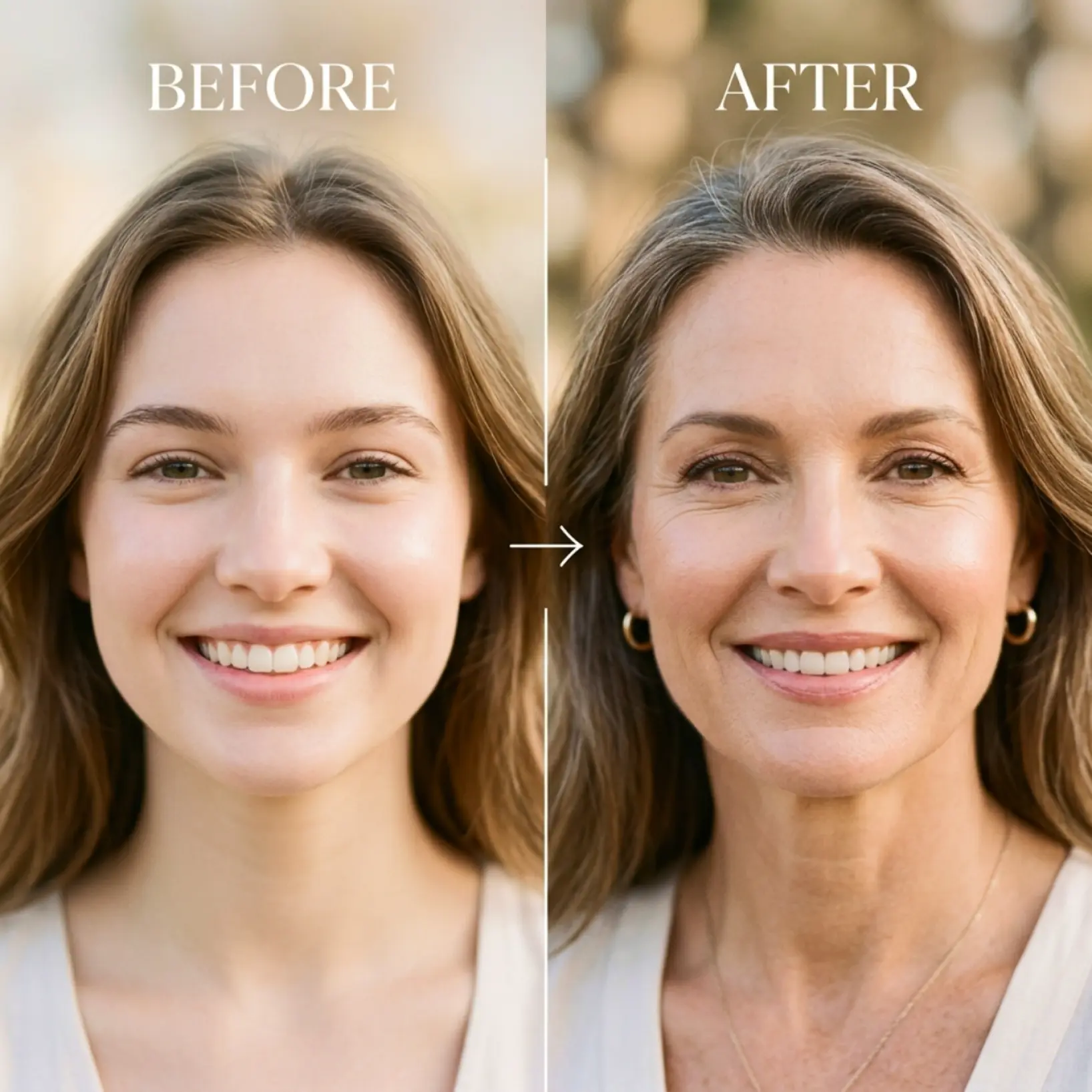
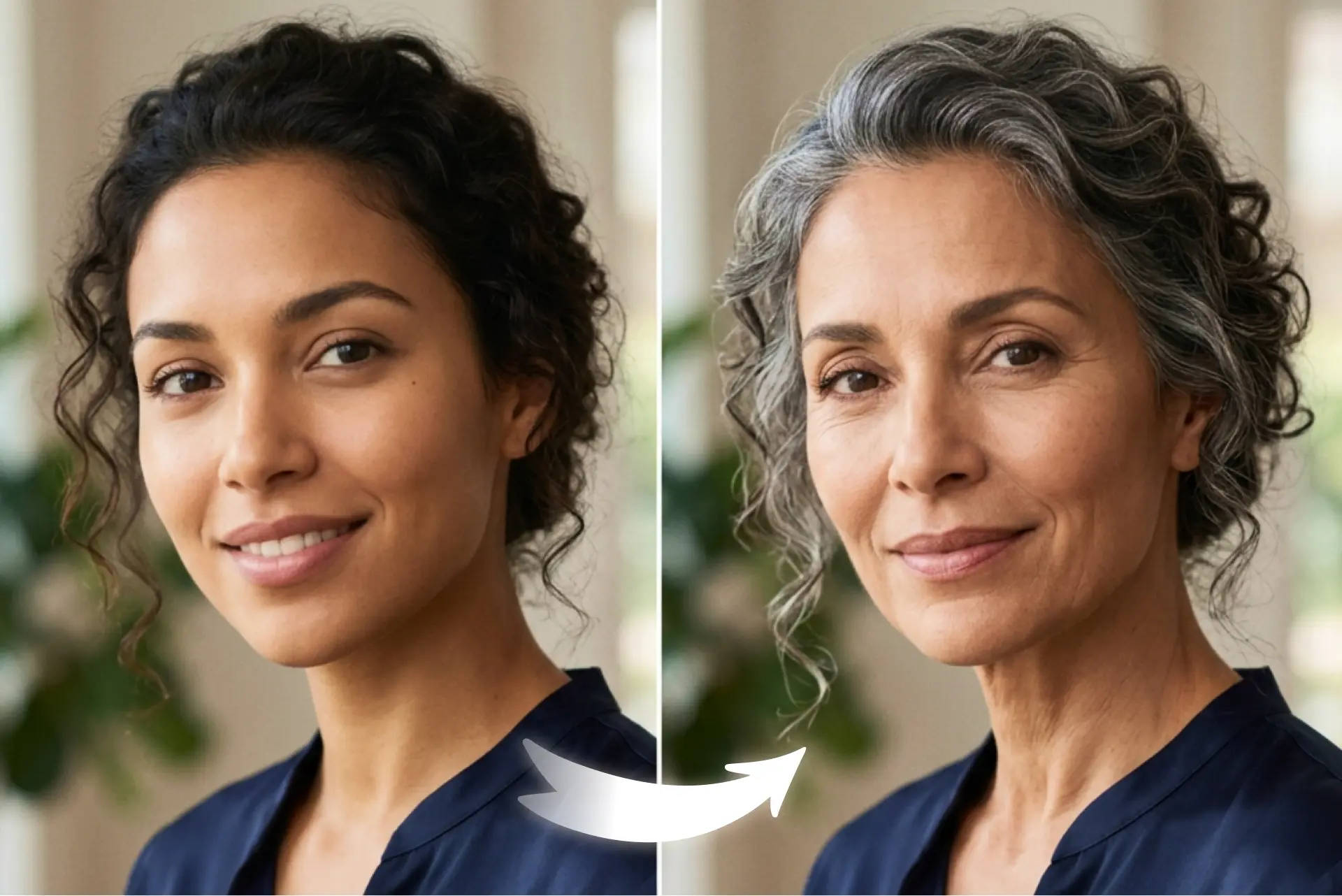
Upload one portrait and explore natural-looking age progression across 6 life stages. Compare your original with the AI-generated result and regenerate anytime


How it works
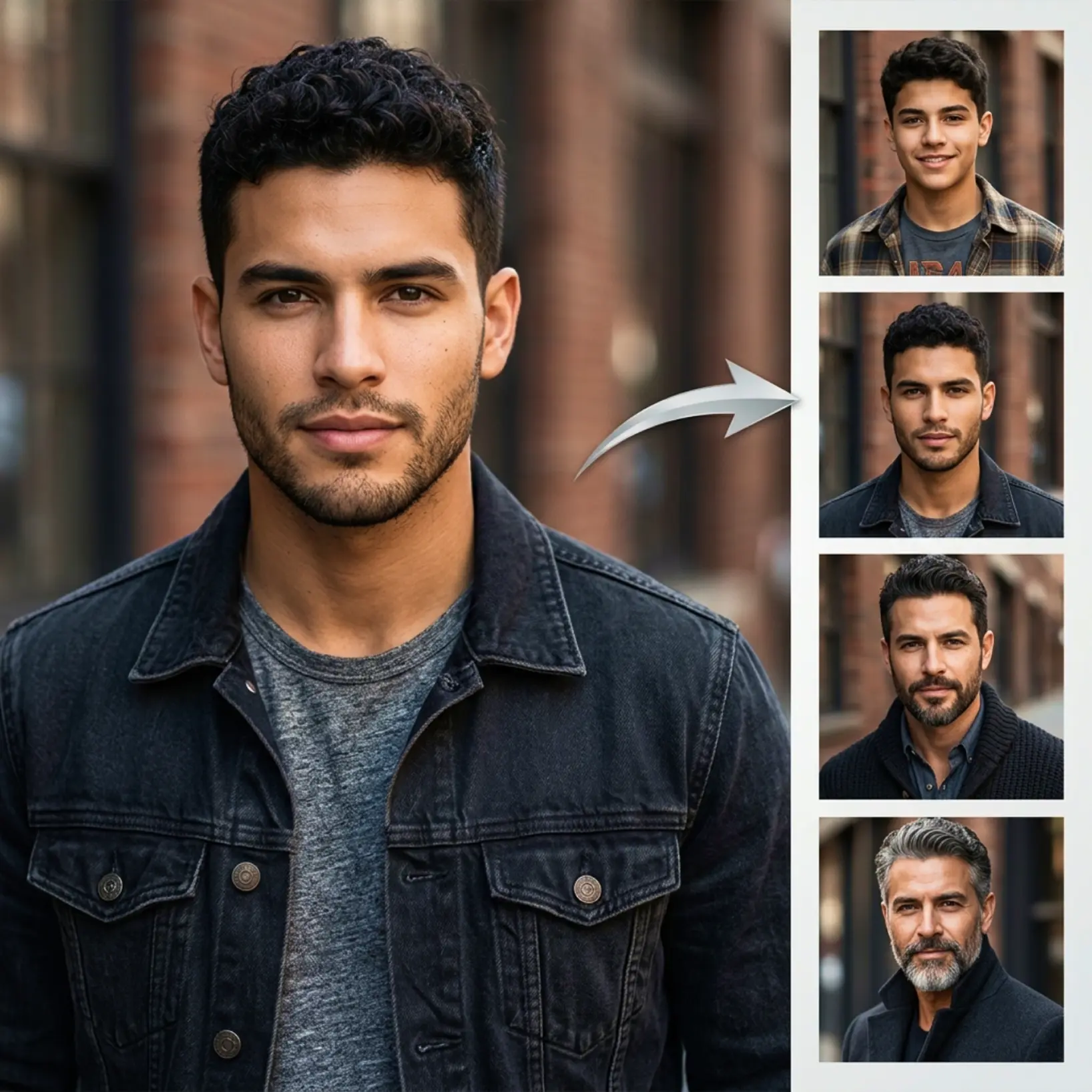
Upload your photo
Choose a clear portrait from your device to start the age progression preview
Choose an age
Pick one of 6 age options to see how your face changes over time
Compare the result
View your original image next to the AI-generated age progression result
Regenerate anytime
Try another age option and create a new version with one tap

Trusted by millions around the globe
Join thousands of users who edit faster, create better visuals, and grow their content with AI
Who can benefit from the AI Age Filter?
- 🔹
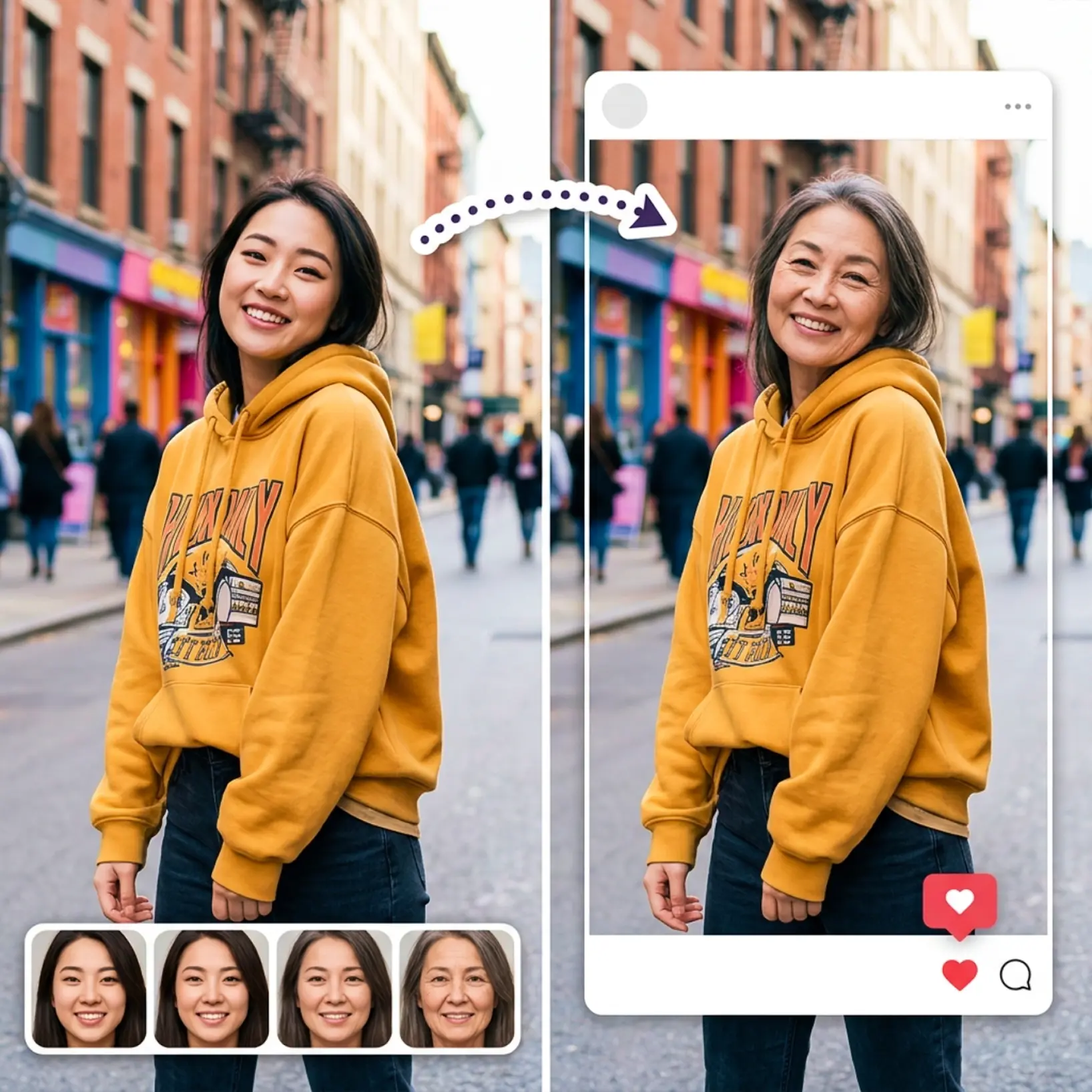
Social media users — Generate a striking before-and-after post with one portrait. The old age filter produces share-ready results that stand out in any feed.
- 🔹
Curious users — Explore how your face might look at different life stages using a simple aging filter. No experience needed — just upload and choose an age.
- 🔹
Friends & entertainment seekers — Apply the old face filter to a group photo and compare results together. It is a quick, memorable way to have fun with AI.
- 🔹
Content creators — Produce eye-catching visuals using an AI age progression effect in seconds. The side-by-side result view makes compelling content easy to capture.
- 🔹
Mobile users — Upload from your phone, select an age, and view results instantly. Fast processing and a one-tap regenerate button make the experience fluid on any device.
Frequently asked questions
What is Lift AI Age Filter?
Lift AI Age Filter is a creative tool that transforms a single portrait into older-looking versions using artificial intelligence. It applies a natural-looking old age effect across multiple life stages, letting you visualize realistic face aging results from one photo.
How does Lift AI Age Filter work?
Upload a clear portrait, then select one of 6 age options from the Choose Age control. Lift processes the image and applies an AI-generated aging filter to your face. The result appears alongside your original photo so you can compare both versions directly.
Can I choose different age options?
Yes. Lift AI Age Filter includes 6 age options, so you can preview different older versions of the same portrait and compare the results easily.
What do I see after generation?
After the result is ready, Lift shows your original photo alongside the generated age progression image, so you can compare both versions in one view.
Can I generate the result again?
Yes. After the first result is created, the main button changes to Regenerate, so you can try another age option or create a fresh version anytime.
Why Lift's AI Age Filter stands out
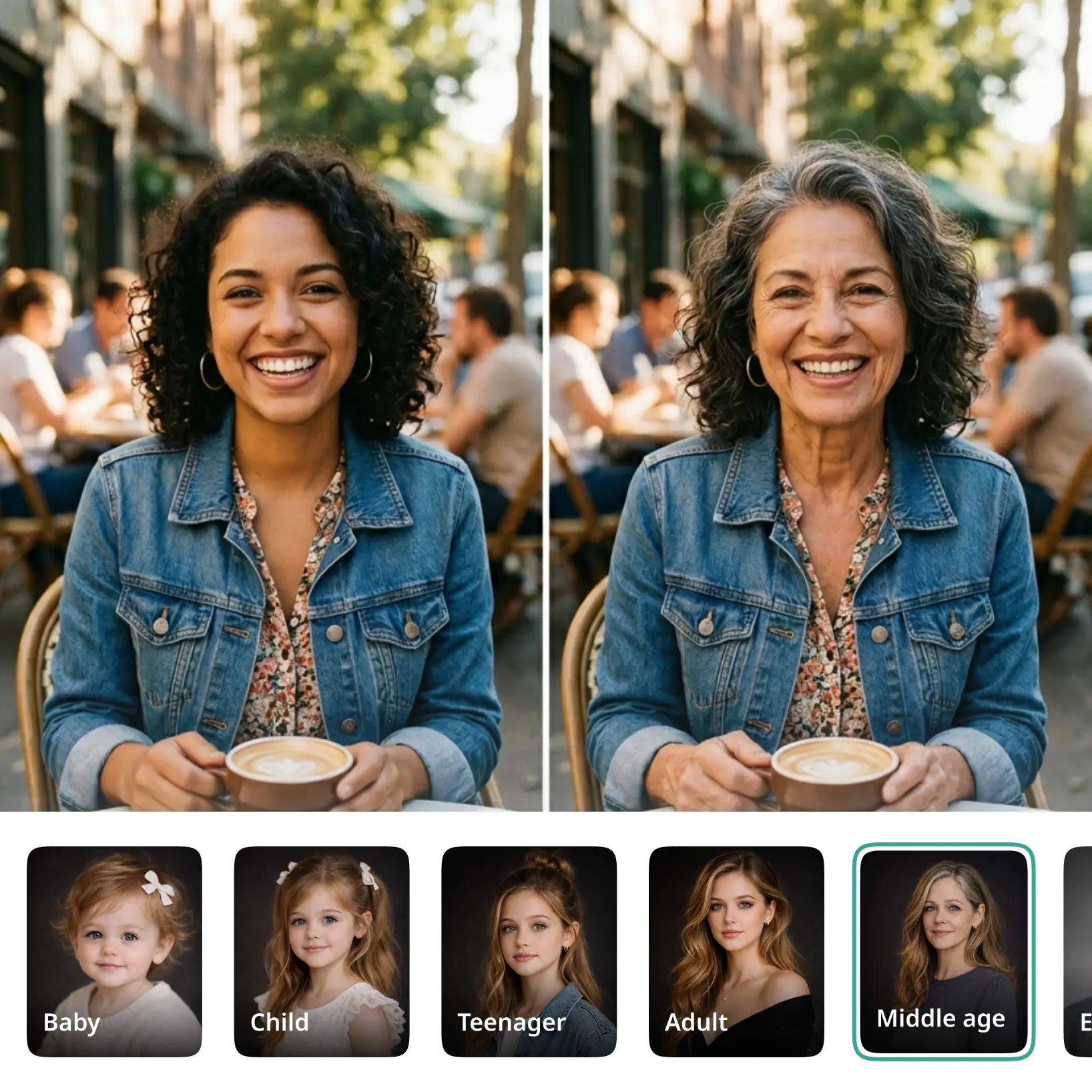
High-quality results
AI-powered technology delivers professional-grade visuals every time
Intelligent rendering
AI tailors the effect to the scene and subject for optimal results
Cross-platform support
Available on iOS, Android, and Web for seamless access
Budget-friendly
Save on costly designers with an affordable and intuitive tool