
Hex Color Picker from Image
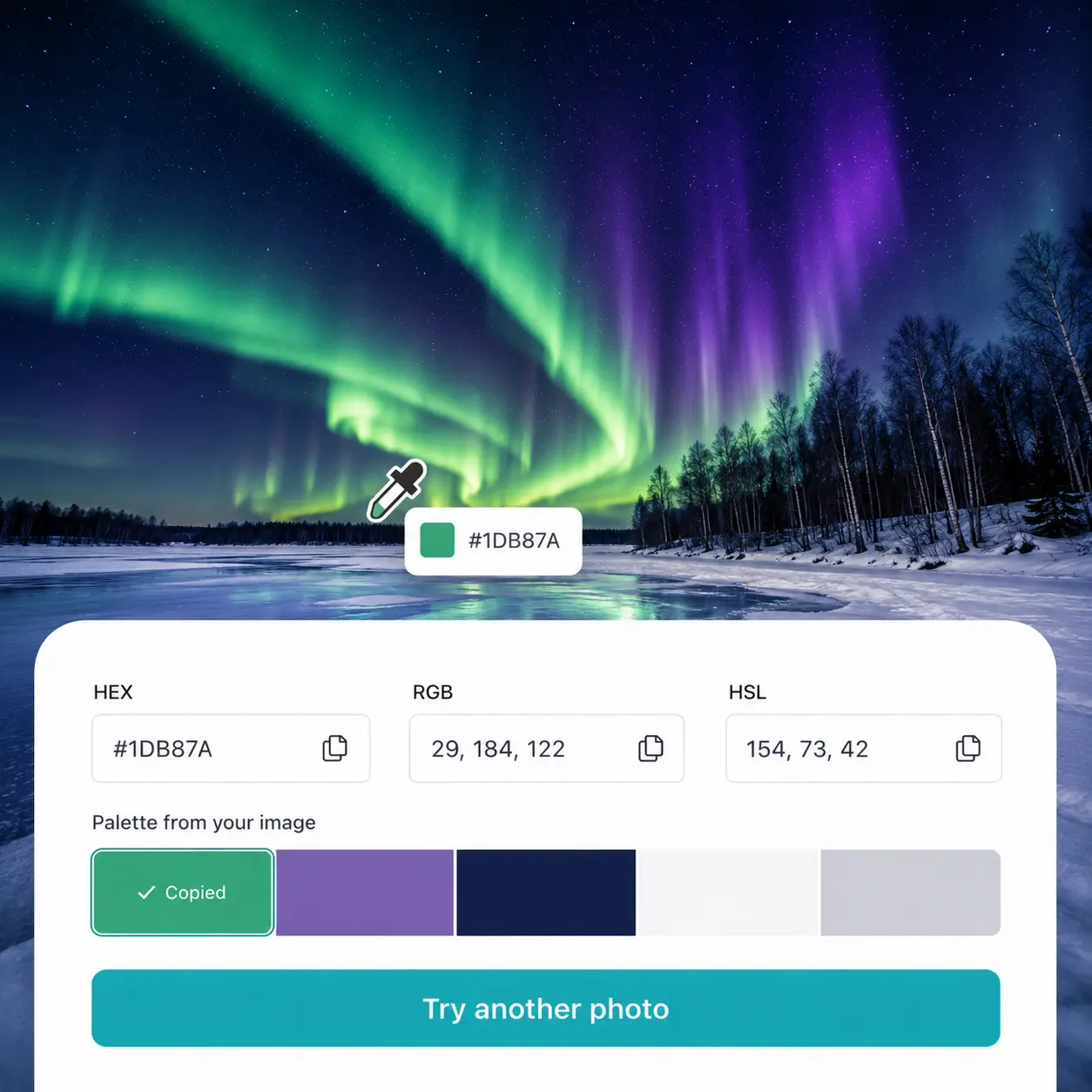
Upload a photo, hover the eyedropper over any pixel, and get the exact HEX code instantly — along with RGB and HSL values ready to copy. Try Lift today.
or drag and drop here
JPG, PNG, WEBPMax - 20MB
JPG, PNG, WEBPMax - 20MB
How it works
Upload your photo
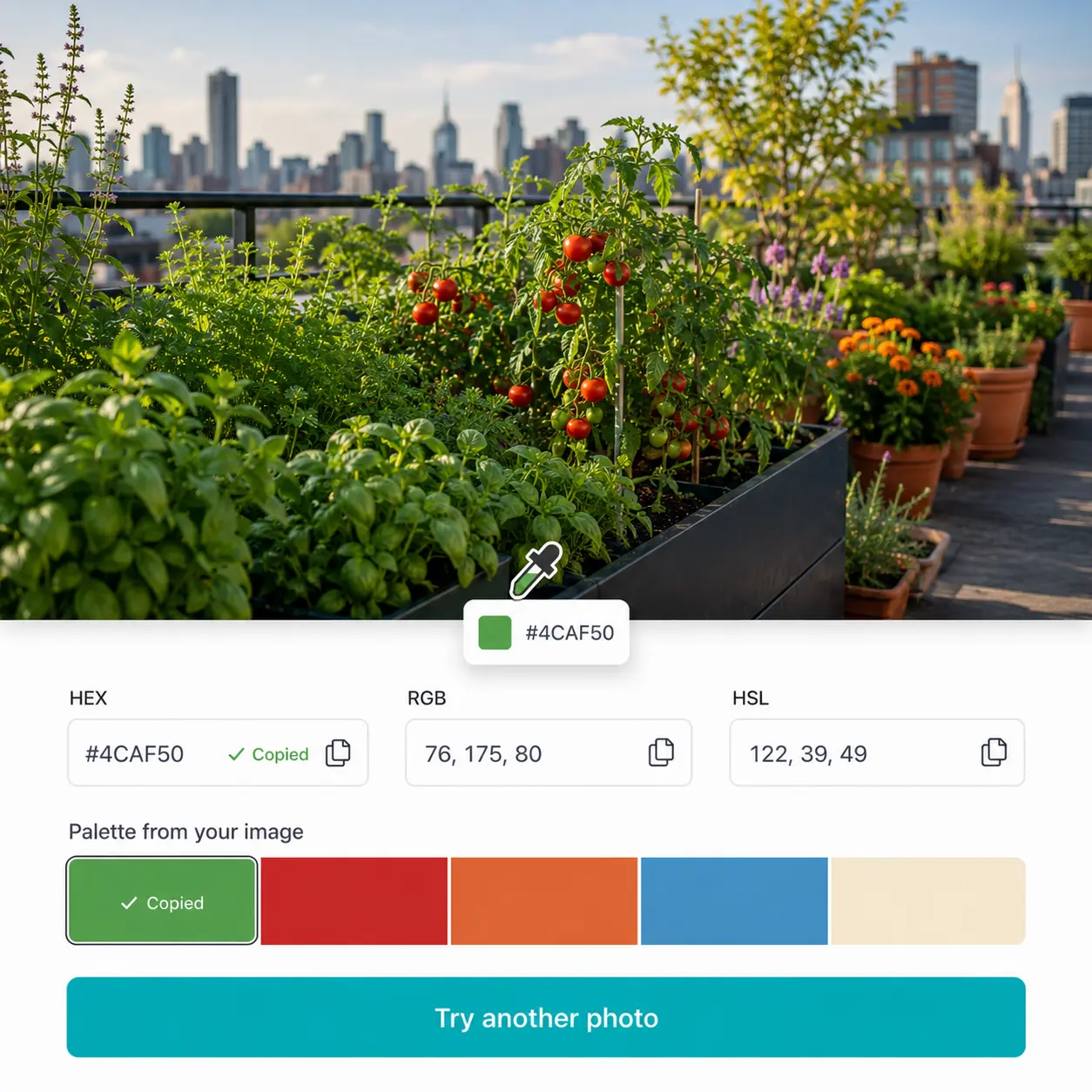
Add any image to the editor and the live eyedropper activates instantly on the canvas.
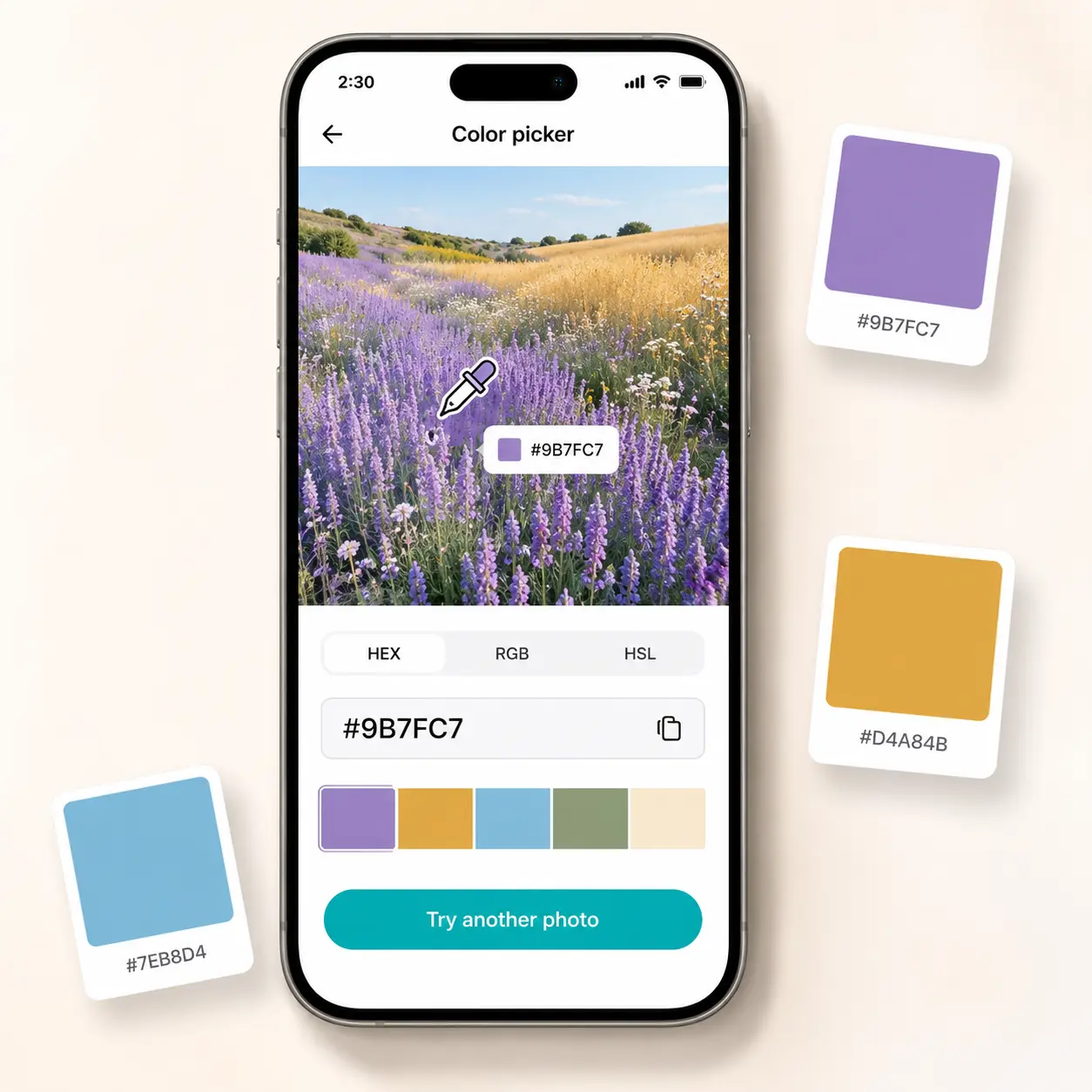
Hover to preview the HEX code
The eyedropper tracks every pixel and displays the HEX code in real time as you move across the image.
Click to lock your color
Tap any spot to fix the selection; the exact HEX, RGB, and HSL values appear instantly in the side panel.
Copy and use anywhere
Copy the HEX code with one click and use it directly in CSS, Figma, Illustrator, or any creative tool.

Join millions around the globe
Who can benefit from the Lift Hex Color Picker?
- 🔹
Web designers & developers — Get pixel-accurate HEX codes from any screenshot or mockup to implement directly in CSS. Lift's eyedropper pulls the exact value without switching between tools.
- 🔹
Brand & graphic designers — Match colors across platforms by identifying exact HEX values from reference images. Hover over any spot and lock the precise code for Figma, Illustrator, or Photoshop.
- 🔹
Digital marketers & ad teams — Source consistent brand colors from existing campaign assets without manual color matching. The live eyedropper reads any tone from any photo in seconds.
- 🔹
Social media designers — Replicate trending visual aesthetics by identifying exact colors from any inspiration image. Lift surfaces the HEX code of any pixel on the spot.
- 🔹
Print & packaging designers — Identify exact color references from product photography to brief print vendors accurately. Lift returns a precise HEX code for any shade in any image.
Frequently asked questions
What is the Lift Hex Color Picker?
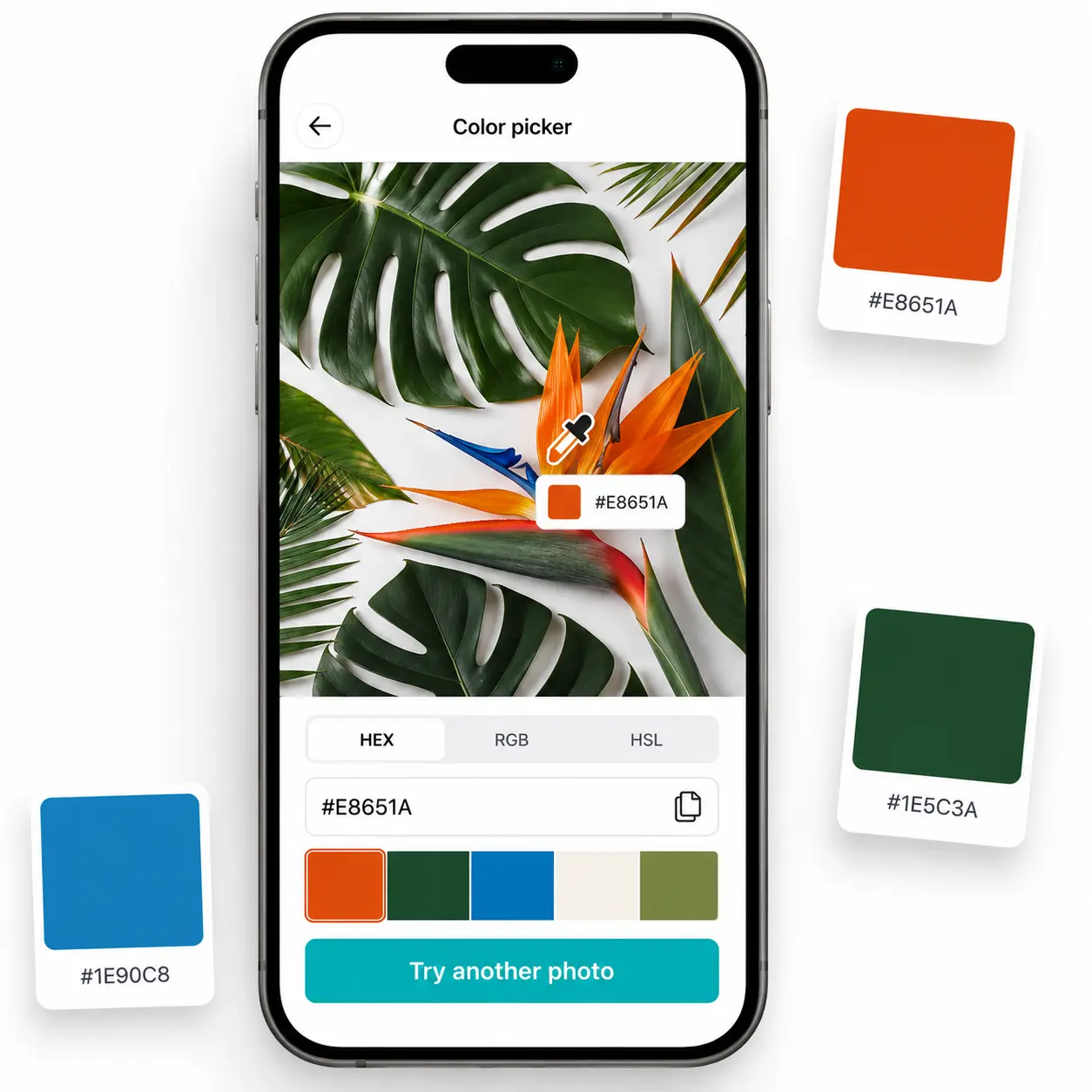
The Lift Hex Color Picker is an image-based tool that identifies the exact HEX code of any color in your photo using a live eyedropper. It also displays the same color in RGB and HSL, and generates a palette of the image's dominant colors.
How does the Lift Hex Color Picker work?
Upload a photo and hover the eyedropper over any area to preview the HEX code in real time. Click to lock your selection and instantly copy the HEX, RGB, or HSL value from the side panel.
Can I get the color in RGB and HSL as well as HEX?
Yes — every color you pick is displayed in HEX, RGB, and HSL simultaneously in the panel. Each format has its own copy button, so you grab exactly the value your workflow needs.
What image formats does the Lift Hex Color Picker support?
You can upload JPG, PNG, WEBP, and HEIC files in any size or resolution. The tool works equally well with product shots, screenshots, landscapes, and scanned artwork.
How can I cancel my Lift Pro Subscription?
You can cancel your trial or subscription through your account settings or by contacting support@liftapp.ai. Cancellation stops automatic renewal, while access remains active until the end of the current period.
Why Lift Hex Color Picker
High-quality results
AI-powered technology delivers professional-grade visuals every time
Intelligent rendering
AI tailors the effect to the scene and subject for optimal results
Cross-platform support
Available on iOS, Android, and Web for seamless access
Budget-friendly
Save on costly designers with an affordable and intuitive tool