
Seletor de Cor a partir de Imagem
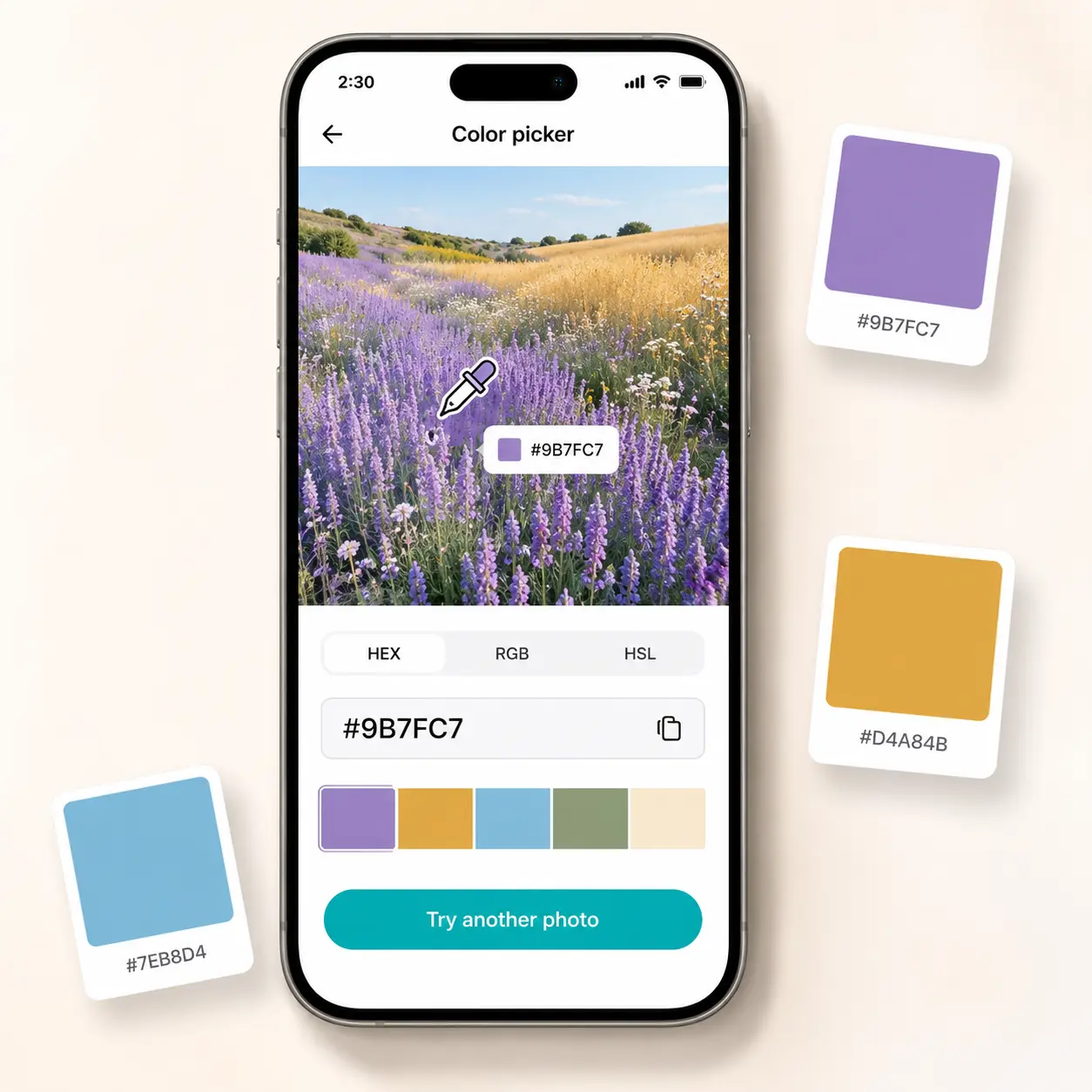
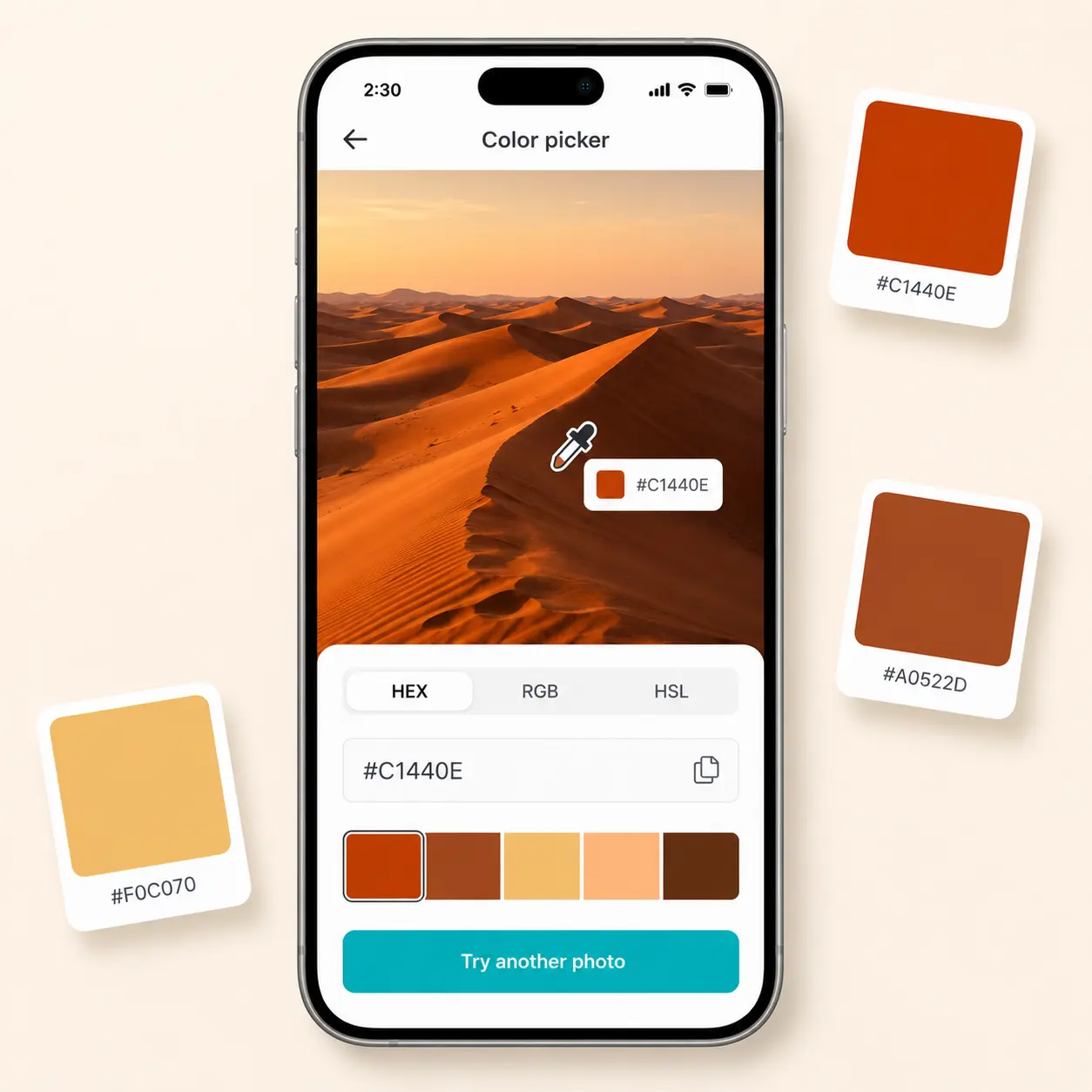
Envie uma foto, passe o conta-gotas sobre qualquer ponto e obtenha a cor exata em HEX, RGB ou HSL em tempo real. Sua imagem também gera uma paleta completa de suas cores dominantes. Experimente o Lift hoje.
ou arraste e solte aqui
JPG, PNG, WEBPMax - 20MB
JPG, PNG, WEBPMax - 20MB
Como funciona
Envie sua foto
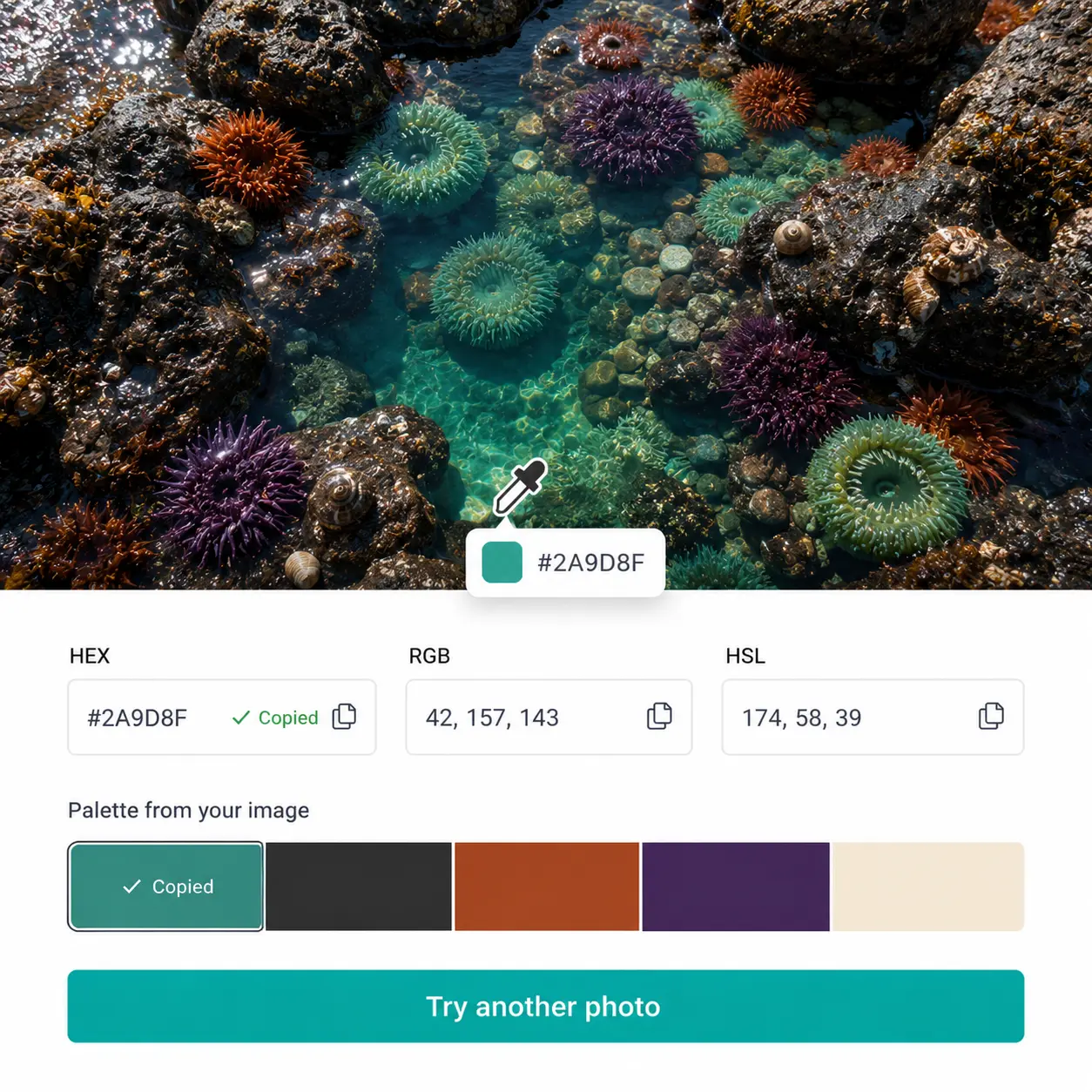
Adicione qualquer imagem ao editor e o conta-gotas se ativa automaticamente no canvas.
Passe o cursor para identificar qualquer cor
O conta-gotas ao vivo rastreia cada pixel e mostra uma prévia de cor em tempo real conforme você se move pela imagem.
Clique para travar sua seleção
Toque em qualquer ponto para fixar a escolha da cor; os valores HEX, RGB e HSL carregam instantaneamente no painel lateral.
Copie e explore a paleta
Copie qualquer formato de cor com um clique e navegue pela paleta gerada automaticamente das cores dominantes da sua imagem.

Junte-se a milhões em todo o mundo
Quem pode se beneficiar do Seletor de Cor do Lift?
- 🔹
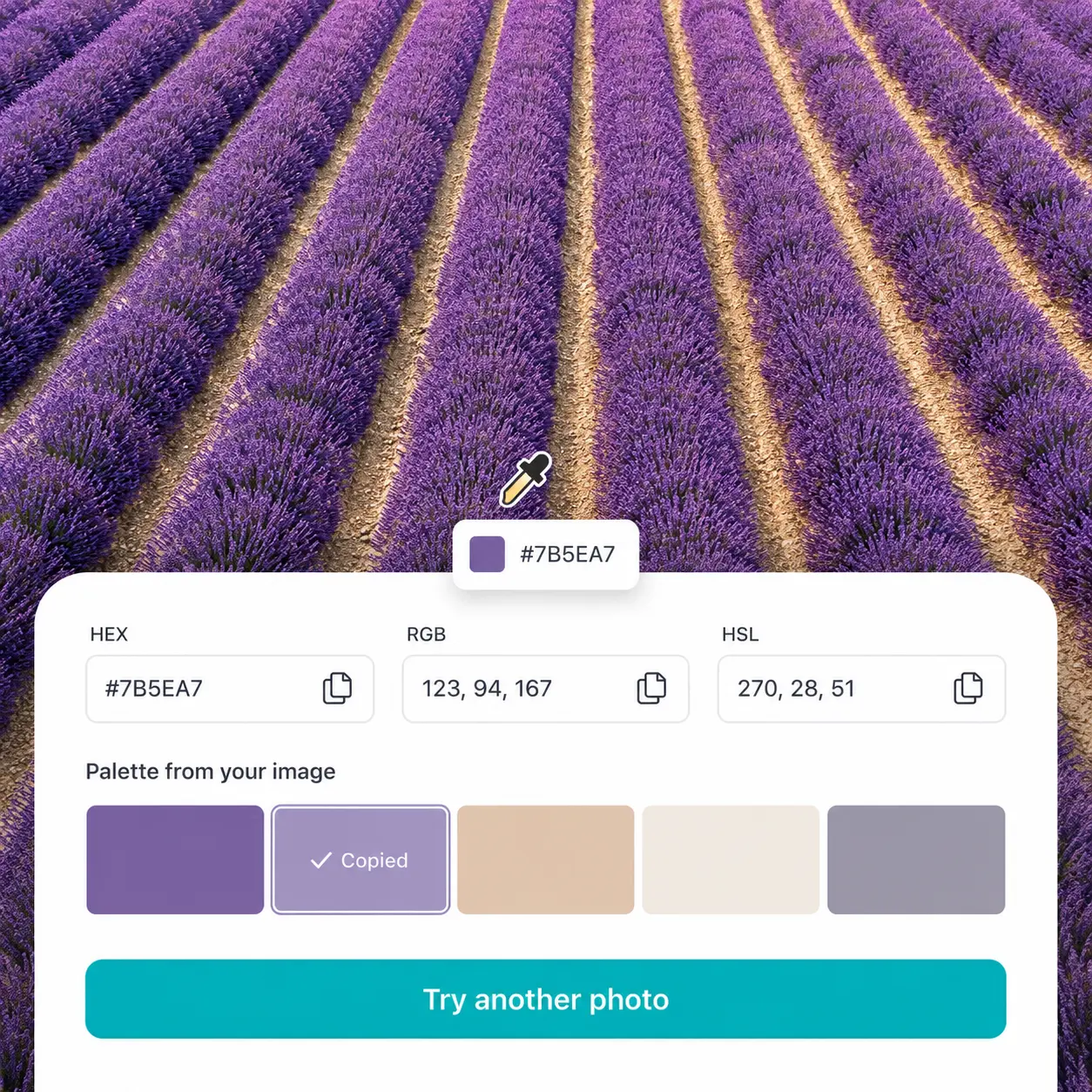
Designers gráficos e equipes de marca — Identifique cores exatas de imagens de referência sem chutar. O Lift retorna códigos HEX precisos prontos para colar em qualquer ferramenta de design.
- 🔹
Criadores de conteúdo e social media managers — Construa uma identidade visual coesa combinando cores de posts com uma foto-assinatura. Extraia tons dominantes de qualquer imagem em segundos.
- 🔹
Desenvolvedores web e de apps — Obtenha códigos HEX e RGB precisos no pixel a partir de mockups ou capturas para usar diretamente em CSS. O Lift entrega os valores exatos sem alternar entre ferramentas.
- 🔹
Vendedores de e-commerce — Identifique tons exatos de produtos para descrever cores com precisão em listagens e criativos publicitários. O conta-gotas lê qualquer tom direto de uma foto de produto.
- 🔹
Entusiastas de decoração de interiores — Extraia cores específicas de fotos de inspiração de ambientes para combinar tinta, tecido ou décor. A paleta da imagem destaca os tons dominantes de relance.
Perguntas frequentes
O que é o Seletor de Cor do Lift?
O Seletor de Cor do Lift é uma ferramenta de detecção baseada em imagem que identifica qualquer cor na sua foto usando um conta-gotas ao vivo. Retorna o código exato em HEX, RGB e HSL, e gera automaticamente uma paleta das cores dominantes da sua imagem.
Como o Seletor de Cor do Lift funciona?
Envie uma foto e passe o conta-gotas sobre qualquer área para visualizar a cor em tempo real. Clique para travar a seleção e ver instantaneamente os valores HEX, RGB e HSL no painel lateral.
Posso obter o código de cor em vários formatos ao mesmo tempo?
Sim — cada cor que você escolhe é exibida em HEX, RGB e HSL simultaneamente no painel. Cada formato tem seu próprio botão de cópia, para você obter exatamente o valor que seu fluxo precisa.
Quais formatos de imagem o Seletor de Cor do Lift suporta?
Você pode enviar arquivos JPG, PNG, WEBP e HEIC em qualquer tamanho ou resolução. A ferramenta funciona igualmente bem com fotos de produto, capturas de tela, paisagens e obras digitalizadas.
Como posso cancelar minha assinatura do Lift Pro?
Você pode cancelar seu teste ou assinatura nas suas configurações da conta ou entrando em contato pelo support@liftapp.ai. O cancelamento interrompe a renovação automática, e o acesso permanece ativo até o fim do período atual.
Por que Lift Seletor de Cor
Resultados de alta qualidade
A tecnologia baseada em IA entrega imagens de qualidade profissional toda vez
Renderização inteligente
A IA adapta o efeito à cena e ao sujeito para resultados ideais
Suporte multiplataforma
Disponível em iOS, Android e Web para acesso sem interrupções
Acessível
Economize em designers caros com uma ferramenta acessível e intuitiva